Introduction

The iPhone 6s Plus is a second generation phablet - a breed, which Apple long refused to be associated with. It's an S-model too meaning last season's design and changes mostly under the hood.
The push for ease of use has brought about 3D touch - literally adding a sense of depth to your interaction with the smartphone. And the device's response comes from an all new Taptic engine for unrivaled feedback precision.
It is the former that accounts for the most dramatic changes the 6s Plus brings physically. The hair's breadth increase in dimensions you won't notice, but the added weight is immediately felt. And while the 4.7-inch iPhone 6s is still manageable despite the extra heft, the Plus is pushing the boundaries of portability.
Part of the growing up process is the new camera. Apple is finally catching up with the times and now offers 12MP stills, complete with 4K video recording - the iPhone is no longer the favorite target of mockery from supercharged Android flagships. Double the RAM and a new, more powerful A9 chip round up the list of changes that Apple delivered.
Key features
- Metal unibody, 7.3mm slim, 192g of weight
- LTE connectivity (Cat. 6, 300Mbps downlink)
- 5.5" 16M-color LED-backlit IPS LCD of 1,080 x 1,920px resolution, 401ppi
- 3D Touch technology recognizes force, brand new Taptic engine for better feedback
- Ion-strengthened glass, oleophobic fingerprint-resistant coating
- Dual-core 1.8 GHz Twister 64-bit CPU, PowerVR GT7600 GPU, 2GB of RAM, Apple A9 SoC
- Apple iOS 9
- 12MP F/2.2 camera with optical image stabilization, True tone LED flash, phase detection auto focus, 2160p@30fps, 1080p@30fps, @60fps and @120fps video recording, 720p video recording @120fps and 240fps
- 5MP F/2.2 front-facing camera with BSI sensor and HDR mode, 1080p@30fps video
- Comes with 16, 64, and 128GB of built-in storage
- Second-gen Touch ID fingerprint sensor built into the Home button
- Barometer sensor for tracking elevation
- 2,750mAh battery
Main disadvantages
- Heavy
- No microSD slot
- Pricey memory upgrades, 32GB version should be standard for such an expensive phone
- No user-replaceable battery
- Protruding camera lens makes the phone wobble if you don't have a case on
- NFC functionality limited to Apple Pay
- No wireless charging, an infrared port, or FM radio
- • Mediocre screen-to-body ratio
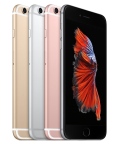
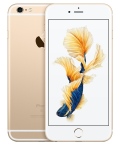
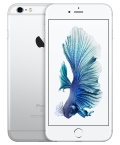
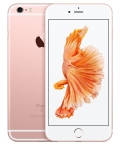
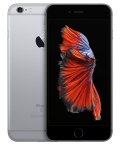
iPhone 6s Plus press images
But let's not get ahead of ourselves and leave these figures to the accountants. We'll stick to the review at hand, starting off with the unboxing and hardware overview.
Apple iOS 9 - some new features, lots of potential
Sticking to its usual practices, Apple unveiled the new iOS 9 in June, but at that point it didn't cause too much excitement. Looking much like iOS 8 and bringing only a handful of new features, it didn't stay in the spotlight for long.Now, a few months later things are different - the iOS 9 biggest update wasn't mentioned at the announcement for understandable reasons - it's the support of the new 3D Touch display and the API that will be available to game and app developers. Depending on how it goes with the early adopters, this feature alone has the potential to alter the way we interact with our phones the same way the first capacitive display and the multi-touch gestures did.
The support for 3D Touch allows for another level of interaction, press the screen for a bit longer (and harder). This gets you access to extra actions and contextual options and we can't wait to see how say, game developers put that to use in the months to come. We'll get back to examining Touch ID and its impact on iOS 9 in a short while, but first let's cover the basics of the new Apple platform.
iOS 9 brings a couple of new apps - News and Notes, while also enhancing Maps with public transit support. Mail and Messages got refreshed and there's a new system font. Meanwhile Siri got smarter, while Spotlight Search expanded its reach.
Visually iOS 9 looks the same as its predecessor. All of your apps are on the homescreen, you can group them in folders and there is the familiar dock that can take up to four shortcuts. System icons, color themes and transparency - everything is like we left it in iOS 8.
The lockscreen hasn't changed much either, but it now supports Live Photo wallpapers - they are either short animations or you can use one of thoseLive Photos that the iPhone 6s duo is capable of capturing. For the animation to activate, you need to press firmly on the screen, which is somewhat counterintuitive and we doubt it will be an oft used feature as nobody would really want to hard press the screen for 3 seconds just to see their lockscreen wallpaper move a bit.
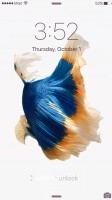
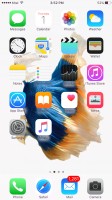
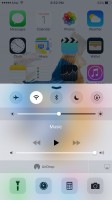


The lockscreen • The homescreen • Control Center • Notification Center
The task-switcher interface loses its webOS flat cards look and opts for a cooler 3D carousel. Unfortunately, you are still able to only see just three apps, and it takes even more scrolling so we're not quite happy with this change.
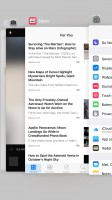
The new task manager
The Spotlight search has been improved. You can invoke it by a downwards swipe from anywhere on the homescreen, or go to the leftmost pane. It has been updated and can now do simple calculations and conversions. It also supports finding sport scores and weather forecast information. And finally, you get shortcuts for making a call or sending a message to any of the contact results in the Spotlight searches.





The new Spotlight Search
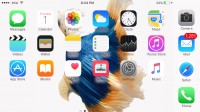
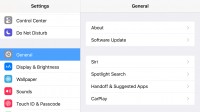
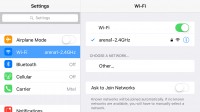



Landscape view

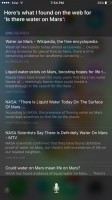
Siri can be summoned anytime by saying 'Hey, Siri'
Finally, iOS 9 extends the overall language support for Siri, Spotlight, the predictive input, dictation support, dictionaries and spell check. Siri is now available in Austrian German, Belgian French and Norwegian, while Mexico gets its proper Spotlight support.
Predictive input is now available in Belgian French, Austrian German, Gujarati, Hindi, Hinglish, Punjabi, Mexican Spanish and Telugu. Finland and Korea get spell check. Last, but not least, dictation is now available for Belgium (Dutch and French), English for Ireland, Philippines, and South Africa, Austria (German) and Spanish for Chile and Colombia.
When it comes to predictive input, iOS 9 would gradually learn the way you type and search and would eventually become a passive yet very useful assistant. This will take off some pressure of Siri and yet make your interactions with the iPhone much easier and pleasant.
3D Touch aims to be the next big thing
Currently 3D Touch gestures are available only on selected system app. You can use it on the lockscreen, the homescreen and within apps. We already talked about the lockscreen gimmick, let's see what it does on the homescreen. Force pressing on the Message icon pops up a balloon with a New
Message shortcut and a short list of your most recent messaging
contacts. Force clicking on the Phone app gives you a - Create New
Contact key and a short list of recently contacted people.
Force pressing on the Message icon pops up a balloon with a New
Message shortcut and a short list of your most recent messaging
contacts. Force clicking on the Phone app gives you a - Create New
Contact key and a short list of recently contacted people.

Force Touch on Messages and Phone apps


Force Touch on Calendar, Clock, Maps, App Store and Camera apps


Force Touch on Safari and Mail
3D Touch is meant to allow you to get more content than you normally get on a screen, so that you can give it a quick glance and let it go - all of this with just one firm long press.
If you press hard on an email within the Mail app, first it will be selected by blurring all the others. Applying slightly more force will pop its contents into a balloon for you to see it. Here you can either apply more force to open the whole email, or release your finger thus you'll be back on the email list.



Force Touch within Mail app
You can do the same on Messages - a firm press opens a preview of your most recent messages with this contact and if you keep pressing you'll eventually open the full thread.


3D Touch within Messages app




3D Touch within Phone, Calendar and Notes


Force Touch within Photos
Safari also takes advantage of Force Touch - hit a link firmly and you get a pop up with the linked page and if you like what you see you can press harder to open it, or just release it for discarding.
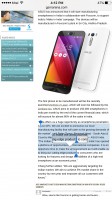


Selecting text with 3D Touch in Safari • Force Touch on links in Safari
That's basically all of it at the moment - it's not much and certainly most of the functionality feels, if you pardon the pun, forced rather than intuitive and helpful. However, we get the feeling that Apple is simply trying to give hints to developers with those. Those are just ideas with the hope that developers will actually put the feature to great use in their apps.
Given the chance, 3D Touch may turn to be a breakthrough that will shape smartphone usage for years to come. Similar to what Apple did with multi-touch or the fingerprint sensor.
What does add more fuel to the 3D Touch fire is that other manufacturers began announcing phones with similar tech shortly before Apple's event, so there will be more companies that want to see it succeed and in turn more developers willing to give it a proper consideration.
Final words
Just like its more compact cousin, the iPhone 6s Plus brings superior imaging, 3D Touch, a beast of a chipset and double the RAM and those surely make it a worthy upgrade. Plus, the screen size and resolution help Apple compete in a segment clearly dominated by Android.The iPhone had been stuck on 8MP since the 4s and meaningful strides in the camera department were long overdue. So, the 6s generation has finally made it into double-digits. It's just that the new 12MP shooter isn't the ultimate in smartphone imaging, with or without OIS.
This new camera can now record 4K videos too. Setting aside the fact that it's been the flagship standard for about 2 years, the iPhone 6s Plus fares better on that front with high levels of detail and wide dynamic range. Just make sure you don't do anything stupid by getting a base 16GB model - 3 minutes of 4K video go past the one gig mark and you'd want to have some apps on that phone too.
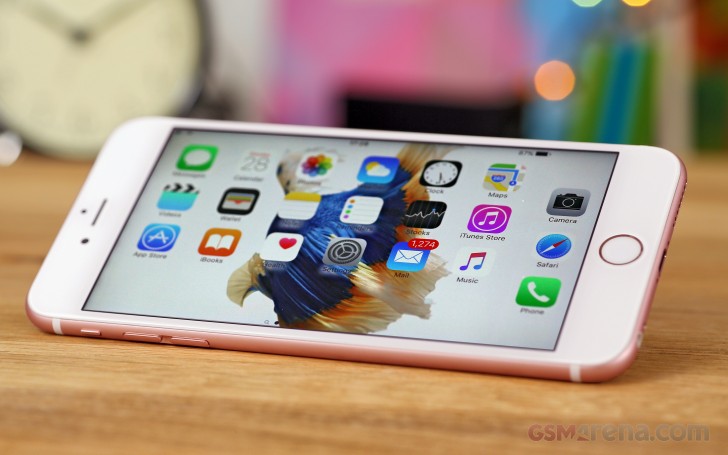 Giving credit where it's due, the A9 chip is a monster. Per-core
performance is unmatched, GPU scores are off the charts, and the 2GB of
RAM help deliver a blazing fast experience whether you're shuffling
screens or playing elaborate games.
Giving credit where it's due, the A9 chip is a monster. Per-core
performance is unmatched, GPU scores are off the charts, and the 2GB of
RAM help deliver a blazing fast experience whether you're shuffling
screens or playing elaborate games.The culprit behind the added heft this year, 3D Touch, is just cool. Which is to say, it's interesting, novel and has potential, but will take some time to reach maturity and wide adoption. Perhaps with the iPhone 7 and on, there will be a diverse app base turning it into yet another feature we take for granted.
Apple iPhone 6s Plus key test findings:
- Ever so remarkably well built, the iPhone 6s Plus isn't just big now, but also heavy. On the positive side it's made out of a much sturdier aluminum alloy so there's no room Bendgate this year.
- The 5.5-inch display is not as bright as last year's, but the deep blacks and superb contrast will make you forget about that. Sunlight legibility is outstanding too.
- Excellent battery life - endurance rating of 85 hours, web browsing and video playback show improvements over the predecessor, but the voice call score is only average.
- The connectivity is improved with Cat.6 LTE support, but the NFC is still Apple Pay limited. Wireless charging could have been useful, but is still not an option.
- The 3D Touch paves the way for developers to come up with new ways of interaction with the phone. It's genuinely useful at times, but has a long way to go before it becomes an integral part of the experience.
- The A9 chip is a stellar performer. Single-core CPU output and GPU performance are unrivaled at this point in time.
- Loudspeaker only managed a Below Average rating in our tests.
- The audio quality is good, but not quite the best in the class.
- The output of the 12MP camera is generally good, but fails to match our expectations and Apple's PR talk (and what the best competition is capturing too).
- Panoramas are simply splendid.
- Detailed 4K videos have very good dynamic range.
- The 5MP front-facing camera creates nice images, Retina flash is useful in extreme darkness and short distance.
- The iOS 9 is an incremental upgrade and brings just a few novelties, but improves the overall experience by smart suggestions and more intelligent behavior of the most used apps and Siri. Split screen multi-tasking however is reserved to the iPad.
If you've skipped the 6 Plus though, and you're finally ready to move into phablets from your 2-year-old 5s, the benefits are there. For the $100/100E more you'd spend on the 6s Plus over the 6 Plus, you'd get an overall superior device with hardware that will remain relevant a lot longer.
Clearly, the Plus series are Apple's extra line of defense. There're iPhone users who wouldn't even bother looking for an alternative - whether it's the consistently positive experience or the investment in the ecosystem, or both. But if the idea of more screen real estate should cross anyone's mind, the first option to even think about would simply be a bigger iPhone.
Even better if some Android converts can be taken onboard in the process. Here's the catch though, Android flagships keep on pushing the specs. The Samsung Galaxy S6 edge+ is on top of that list and gives you a larger 5.7-inch QHD display in a smaller and much lighter body - if weight is important to you go to a store, hold both, and feel for yourself what we mean. The S6 edge+ will give you better photos too, and Samsung Pay, if you're into that.
Depending on where you are in the world a 64GB version could be either cheaper or more expensive than the iPhone 6s Plus, go figure. But then you can get a usable 32GB variant of the S6 edge+ for less, an option you don't get with the 6s Plus.
And if you're willing to be a little less extravagant, there's always the Note5 - essentially the same hardware as the S6 edge+, but easier on your pocket. This one comes with an S Pen and should be cheaper than an iPhone 6s Plus no matter the region, provided it's available at all (wink, Europe).
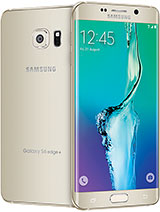
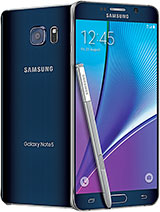
Samsung Galaxy S6 edge+ • Samsung Galaxy Note5

Huawei Nexus 6P
Judging by pre-order prices, the Z5 Premium might actually be cheaper than the iPhone 6s Plus, though again, hardly a decider in this segment. You will need to wait for this one, while the iPhone 6s Plus is available now. Alternatively, you can go for the plain Z5, and enjoy most of the benefits of the Premium, save for the 4K display, for an even lower price.
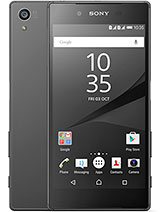
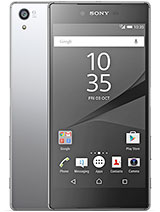
Sony Xperia Z5 • Sony Xperia Z5 Premium
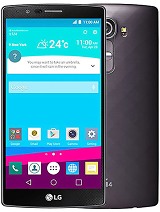

LG G4 • LG G Flex2
In practice, the iPhone 6s Plus is topping the performance charts and its battery backup is no worse than that of the main rivals. Is Apple doing the right things while the others are trying too hard? It's not that simple. But Apple makes it look so.

Has laoreet percipitur ad. Vide interesset in mei, no his legimus verterem. Et nostrum imperdiet appellantur usu, mnesarchum referrentur id vim.


0 comments:
Post a Comment